
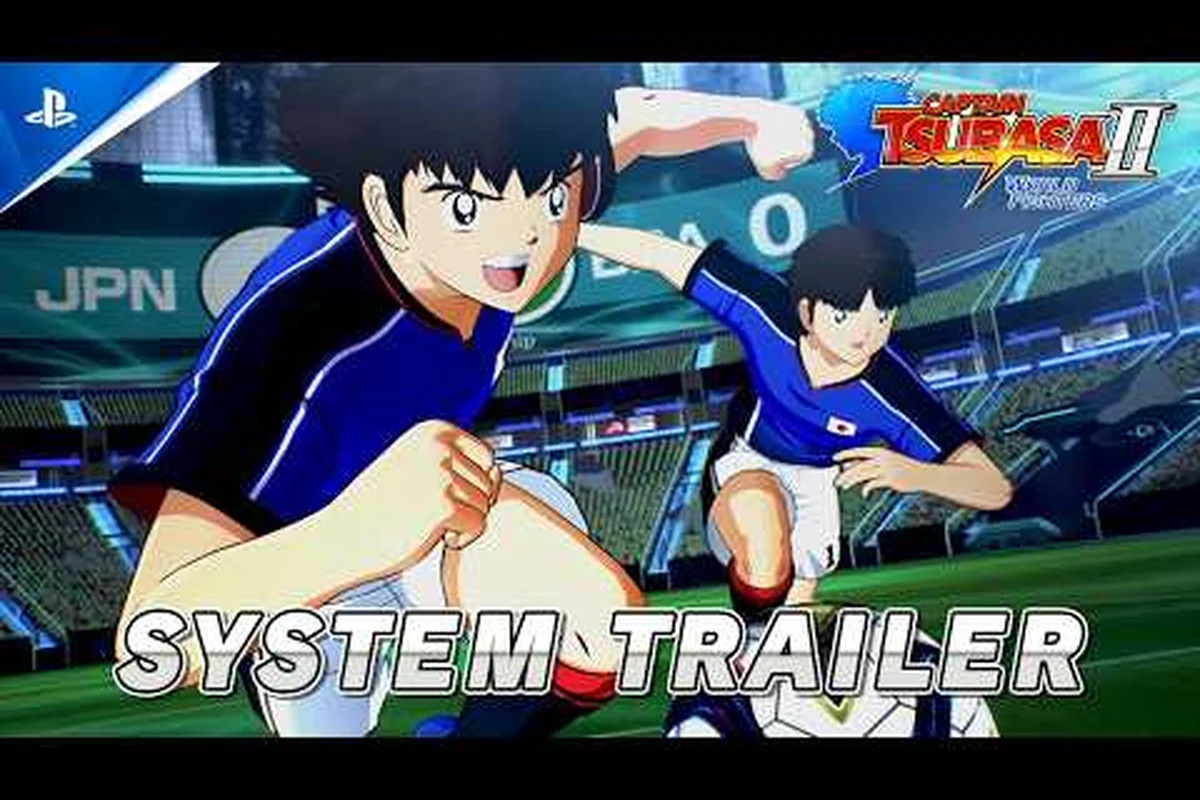
Before you pre-order or clear space on your SSD, you need the full Captain Tsubasa 2: World Fighters specs sheet in front of you. The official requirements confirm a Windows 11-only launch, a 23GB install footprint, and mid-range hardware targets that should keep 60fps within reach for most modern gaming PCs. Knowing exactly what CPU, GPU, RAM, and storage the game demands will save you from a disappointing launch-day surprise, so here is the complete breakdown of every requirement, what each spec actually means for your framerate, and how to tune your system for the best possible match-day experience.
Decoding the Official Captain Tsubasa 2: World Fighters PC Specs
The official Steam store page lists a clear set of minimum and recommended hardware targets, and both tiers are surprisingly reasonable for a stylized anime soccer title. According to the official Captain Tsubasa 2: World Fighters Steam page, the game targets 60fps on recommended hardware, which aligns with the fast-paced duel mechanics and super move animations that demand consistent frame pacing. The minimum tier is designed for 1080p at lower settings, while the recommended tier pushes for a smooth experience at higher detail levels.
| Component | Minimum Requirements | Recommended Requirements |
|---|---|---|
| Operating System | Windows 11 (64-bit) | Windows 11 (64-bit) |
| Processor (CPU) | Intel Core i5-10600K or AMD Ryzen 5 5600X | Intel Core i7-10700K or AMD Ryzen 7 5800X |
| Memory (RAM) | 16GB | 16GB |
| Graphics (GPU) | NVIDIA GTX 1650 Super or AMD RX 5600 XT | NVIDIA RTX 3060 Ti or AMD RX 6700 XT |
| Storage | 23GB available space | 23GB available space (SSD recommended) |
The Windows 11 requirement is the single most important detail on this spec sheet because it means Windows 10 users cannot run the game without upgrading their operating system first. This is a deliberate choice by TAMSOFT and Bandai Namco, likely tied to modern DirectX 12 Ultimate features that enable the game's stylized rendering and fast load times. The 16GB RAM baseline across both tiers is also notable, as it suggests the game streams stadium assets and character models efficiently, but still needs enough memory headroom to avoid hitches during super move cutscenes.
CPU and GPU Requirements: What Hardware Actually Delivers 60 FPS
The processor and graphics card requirements reveal a lot about how the game engine prioritizes performance. The minimum CPU tier of an Intel Core i5-10600K or AMD Ryzen 5 5600X is a six-core, twelve-thread baseline that handles the game's AI calculations and physics simulations during match play. The recommended tier bumps up to eight-core processors, which helps maintain stable framerates during crowded stadium moments and multi-player duels where multiple character models are on screen simultaneously.
| Performance Target | CPU Tier | GPU Tier | Expected Framerate |
|---|---|---|---|
| Minimum (1080p Low) | i5-10600K / Ryzen 5 5600X | GTX 1650 Super / RX 5600 XT | 30-60fps (variable) |
| Recommended (1080p High) | i7-10700K / Ryzen 7 5800X | RTX 3060 Ti / RX 6700 XT | 60fps (stable) |
| High-End (1440p Ultra) | i7-12700K / Ryzen 7 7800X3D | RTX 4070 / RX 7800 XT | 60fps+ (uncapped) |
For the GPU tier, the GTX 1650 Super and RX 5600 XT represent the entry point for playable performance, and both cards can handle the game's cel-shaded art style at 1080p with reduced shadow quality and crowd density. The recommended RTX 3060 Ti or RX 6700 XT provides enough headroom to enable dynamic shadows, higher stadium detail, and dense crowd effects while maintaining a locked 60fps. Players aiming for 1440p or ultrawide resolutions should target the high-end tier, since the game's dramatic camera angles during super moves benefit from additional GPU horsepower to keep frame pacing consistent.
Storage, RAM, and Windows 11 Compatibility Notes
The 23GB storage requirement is modest by modern standards, but the type of drive you use matters more than the raw capacity. While the minimum spec allows traditional hard drives, the official Bandai Namco page recommends an SSD for the best experience, and community reports confirm that load times between matches and during the Journey Mode story transitions are noticeably faster on NVMe drives. The game's download size matches the install size at around 23GB, so you need that much free space available before the unpacking process begins.
| Storage Type | Load Times (Match Start) | Super Move Cutscene Loading | Overall Experience |
|---|---|---|---|
| HDD (7200 RPM) | 15-20 seconds | 3-5 seconds | Playable, but noticeable stutters |
| SATA SSD | 5-8 seconds | 1-2 seconds | Smooth and responsive |
| NVMe SSD | 3-5 seconds | Under 1 second | Best experience, minimal waiting |
The Windows 11 requirement cannot be bypassed with compatibility modes or workarounds, so verify your OS version before purchasing. The game uses DirectX 12 features that are exclusive to Windows 11, and attempting to run it on Windows 10 will result in a launch error. For Steam Deck users, the game is verified to run through Proton, but you should expect to lower resolution and shadow quality to maintain a stable framerate, as the handheld's APU sits below the minimum GPU tier. If you are still deciding whether your hardware can handle the game, the desktop requirements breakdown offers a deeper comparison of how different GPU tiers perform across various settings.
Adjusting Visuals to Match Your Rig
1080p Performance Across Entry GPUs
The minimum GPU pairing of NVIDIA GTX 1650 Super or AMD RX 5600 XT reveals a significant performance gap: the RX 5600 XT offers roughly 30-35% more raw rasterization performance than the GTX 1650 Super. At 1080p with medium settings, the GTX 1650 Super will hold 60 FPS during standard gameplay but may dip to 45-50 FPS during dramatic super move camera angles with dense stadium detail. The RX 5600 XT, however, maintains a locked 60 FPS even with effects density raised to high, making it the better baseline for players who prioritize smooth slow-motion replays and special move cinematics.
Shadow Quality and Crowd Detail: The Two Settings That Matter Most
For low-end laptops and Steam Deck users, disabling dynamic shadows and lowering stadium crowd detail are the most effective optimizations to hold a stable framerate, as confirmed by Bandai Namco EU. Dynamic shadows are particularly taxing because they require real-time light calculations for every player model on the pitch, while crowd detail affects the number of individually rendered spectators. Capping resolution at 1080p and setting both options to low can yield a 15-20 FPS improvement on integrated graphics. Conversely, high-end systems can enable full effects and dense crowd detail to enhance the dramatic super move camera angles, which benefit from higher-resolution rendering.
Once you confirm your hardware meets the Captain Tsubasa 2: World Fighters requirements, the next step is tuning the in-game graphics settings to match your system's capabilities. The game offers a range of adjustable options that directly impact performance, and knowing which settings to prioritize can mean the difference between a locked 60fps and a stuttery mess during critical duels. Based on official guidance from the game's X account and community testing, the most impactful settings are shadow quality, stadium crowd detail, and effects density.
| Graphics Setting | Low-End Impact | High-End Impact | Performance Cost |
|---|---|---|---|
| Shadow Quality | Disable dynamic shadows | Ultra with soft shadows | High (biggest FPS hit) |
| Stadium Crowd Detail | Reduced crowd density | Full 3D crowd animations | Medium |
| Effects Density | Minimal particle effects | Full super move effects | Medium-High |
| Resolution Scale | 75-100% at 1080p | 100%+ at 1440p | Variable |
| Anti-Aliasing | TAA or off | DLSS/FSR if available | Low-Medium |
For low-end PCs that barely meet the minimum specs, the most effective optimization is disabling dynamic shadows and capping the resolution at 1080p, which the official X account confirmed as the priority settings for playable framerates. Players with mid-range hardware can enable most settings at high preset while keeping shadows at medium, and this configuration typically holds 60fps throughout match play. High-end systems can push everything to ultra, including dense stadium detail and full effects, which makes the super move camera angles look particularly spectacular. If you are struggling to maintain performance on a budget laptop, the low-end PC settings guide provides a step-by-step configuration that prioritizes framerate stability.
Verifying Your System Meets the Specs Before Launch
CPU Bottleneck Analysis: Why the i5-10600K and Ryzen 5 5600X Are the True 60 FPS Gatekeepers
The minimum CPU requirement of Intel Core i5-10600K or AMD Ryzen 5 5600X is unusually high for an anime-styled soccer title, signaling that the game's physics and AI calculations for player positioning and super move trajectories are heavily single-thread dependent. Both chips deliver comparable single-core performance, with the 5600X edging ahead by roughly 5-8% in gaming workloads. If you are running an older six-core processor like the i5-9600K, expect frame drops during rapid midfield transitions and multi-player special move sequences, as the CPU struggles to keep up with the animation and physics calculations simultaneously.
Windows 11-Only Requirement: What It Means for Windows 10 Users
The Steam store page explicitly lists Windows 11 as the only supported operating system, a rare and aggressive stance that Windows 10 users must verify before purchase. This likely stems from the game's reliance on DirectStorage or specific memory management features exclusive to Windows 11, which could cause compatibility issues or degraded performance on older OS versions. If you are on Windows 10, check for a demo or benchmark tool before committing, as the game may refuse to launch entirely or exhibit stuttering due to unsupported system calls. Bandai Namco has not announced any Windows 10 compatibility patch, so plan for an OS upgrade if you intend to play.
Before you commit to a purchase, you should verify that your system actually meets the Captain Tsubasa 2: World Fighters PC specs, and there are several ways to do this without guessing. The simplest method is to check your system information through Windows Settings, which shows your CPU, RAM, and OS version, while the GPU model can be confirmed through the Device Manager or third-party tools like GPU-Z. For a more comprehensive check, you can compare your hardware against the official requirements table and identify which components fall below the minimum threshold.
| Verification Step | Tool/Method | What to Check |
|---|---|---|
| OS Version | Windows Settings > System > About | Confirm Windows 11 (version 22H2 or newer) |
| CPU Model | Task Manager > Performance > CPU | Compare against i5-10600K / Ryzen 5 5600X baseline |
| GPU Model | Device Manager > Display Adapters | Compare against GTX 1650 Super / RX 5600 XT baseline |
| RAM Capacity | Task Manager > Performance > Memory | Confirm 16GB or higher |
| Storage Space | File Explorer > This PC | Confirm 23GB+ free on target drive |
The performance verification process goes beyond just checking component models, because thermal throttling and outdated drivers can significantly impact actual framerates. If your hardware meets the recommended specs but you still experience stuttering, updating your GPU drivers and ensuring proper case airflow are the first troubleshooting steps. Community reports also suggest that the game's 60fps target is achievable on hardware slightly below the recommended tier when using the optimized settings mentioned earlier, so the spec sheet represents a safe baseline rather than an absolute ceiling. For players who want to push their system to the limit, the 60fps optimization guide covers advanced techniques for locking your framerate and eliminating micro-stutters.
Frequently Asked Questions
What are the minimum Captain Tsubasa 2: World Fighters requirements?
The minimum specs require Windows 11, an Intel Core i5-10600K or AMD Ryzen 5 5600X CPU, 16GB RAM, and an NVIDIA GTX 1650 Super or AMD RX 5600 XT GPU. You also need 23GB of free storage space, and the game targets 1080p at lower settings with this configuration.
Can I run the game on Windows 10?
No, the game requires Windows 11 exclusively. The official Steam page lists Windows 11 as the minimum operating system, and the game uses DirectX 12 features that are not available on Windows 10. You will need to upgrade your OS before playing.
How much storage space does the game need?
The game needs about 23GB of free space for both download and installation. While a traditional hard drive meets the minimum spec, an SSD is strongly recommended—it noticeably cuts load times and makes match transitions smoother during World Fighters matches.
Will the game run on Steam Deck?
Yes, the game is verified to run through Proton on Steam Deck, but you will need to lower resolution and shadow quality to maintain a stable framerate. The handheld's APU sits below the minimum GPU tier, so expect reduced visual fidelity compared to desktop systems.
What framerate can I expect with recommended specs?
With recommended specs, Captain Tsubasa 2: World Fighters targets a stable 60fps at 1080p on high settings. The game’s stylized anime visuals prioritize character animation and stadium detail over particle effects, so frame pacing stays consistent during super move cutscenes. High-end GPUs like the RTX 4070 can push beyond 60fps at 1440p.