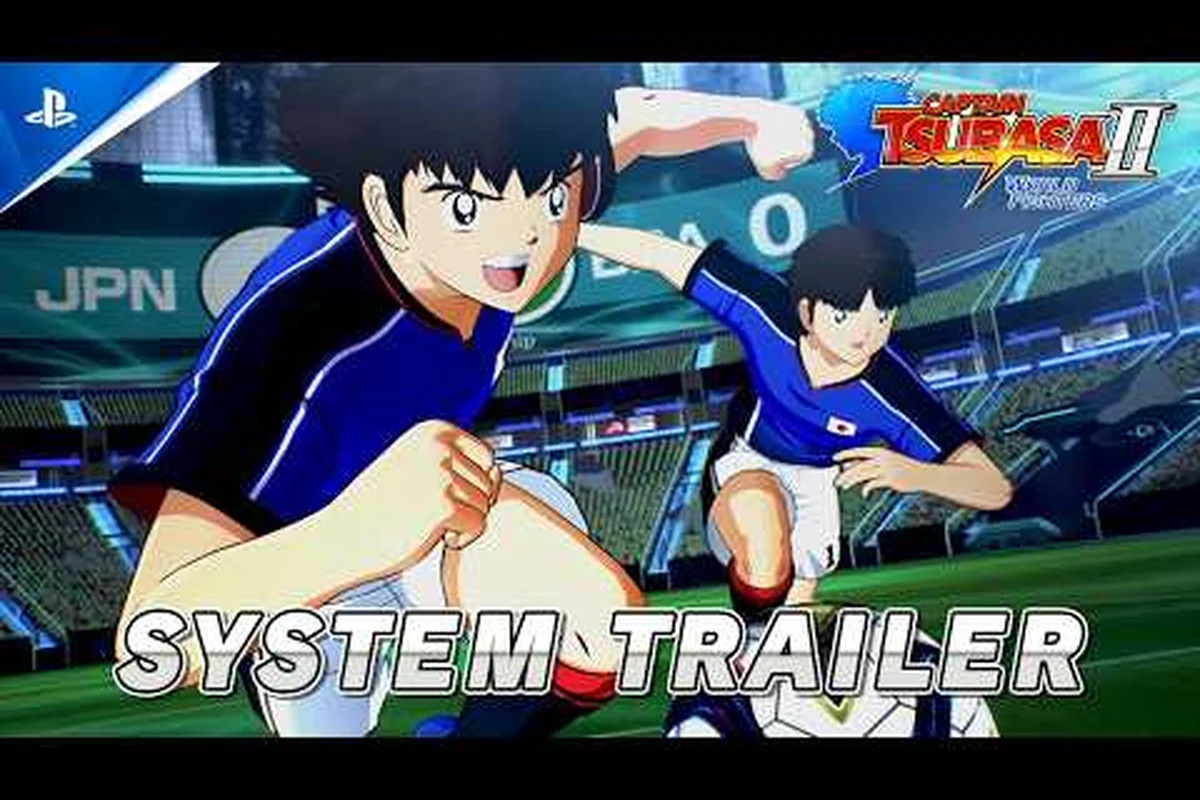
Setting up Captain Tsubasa 2: World Fighters gamepad support is the first thing you should do before stepping onto the pitch, because the game's fast-paced super moves and one-on-one duels demand precise stick control that keyboard input simply cannot match. Whether you are plugging in a wired Xbox pad or pairing a DualSense over Bluetooth, getting the controller recognized correctly determines whether your passes land and your tackles connect. This guide walks you through every controller option, the button layout you can expect, and the Captain Tsubasa 2: World Fighters system requirements guide that ensures your setup runs smoothly while you play. ur passes land and your tackles connect. This guide walks you through every controller option, the button layout you can expect, and the Captain Tsubasa 2: World Fighters system requirements guide that ensures your setup runs smoothly while you play, so before you lock in your formation, check the minimum and recommended specs in our Captain Tsubasa 2 World Fighters System Requirements to confirm your rig can handle the match without frame drops.
According to the official Steam page for Captain Tsubasa 2: World Fighters, the game lists full controller support, including gamepad input for both local versus matches and the story mode.
Controller Compatibility and Setup Options
The official Bandai Namco EU page confirms that controller and gamepad support is fully implemented alongside keyboard controls, with complete keybinding customization available for players who want to remap actions. That means you are not locked into a fixed layout, and the game recognizes most major USB and Bluetooth controllers without requiring third-party tools like DS4Windows or x360ce. The most reliable path is to connect your controller before launching the game, because the title scans for input devices during startup and assigns the first detected gamepad as the primary player device.
XInput controllers such as the Xbox Series X|S pad and the Xbox One controller work flawlessly because the game uses the standard XInput API on Windows. DirectInput legacy pads like the PlayStation DualShock 4 also function, although the button prompts may display Xbox glyphs unless you adjust the in-game icon setting. Nintendo Switch Pro Controllers are recognized over Bluetooth, but you may need to enable Steam Input in the game's properties to get the gyro and button mapping working correctly.
| Controller Type | Connection Method | Button Prompts | Steam Input Needed |
|---|---|---|---|
| Xbox Series X / S | USB / Bluetooth | Xbox glyphs | No |
| DualSense / DualShock 4 | USB / Bluetooth | Xbox glyphs (adjustable) | Optional |
| Switch Pro Controller | Bluetooth | Xbox glyphs | Recommended |
| Third-party XInput pads | USB | Xbox glyphs | No |
| Generic DirectInput pads | USB | Xbox glyphs | Yes |
The keybinding customization panel lives in the Options menu under the Controls tab, and it lets you remap every action from shooting and passing to the special move trigger. Community reports indicate that most players keep the default layout because it mirrors the classic Captain Tsubasa arcade controls, but left-handed players and those using unusual pads often rebind the shoulder buttons for super shots.
Default Button Mapping and Layout
XInput vs. DirectInput: Choosing the Right Protocol
Captain Tsubasa 2: World Fighters confirms controller support alongside keyboard controls, with full keybinding customization expected. The game natively prioritizes XInput devices (Xbox controllers, Steam Deck), which map directly to the default layout. DirectInput legacy controllers require manual remapping in the keybinding menu, as the game does not auto-translate DirectInput axes to XInput buttons. For example, a PlayStation-style controller in DirectInput mode will have inverted Y-axis on the left stick unless you enable Steam Input's PlayStation configuration support, which translates the DualSense's gyro and touchpad into XInput-compatible outputs for the dribble and special shot mechanics.
1080p vs. 4K: GPU Memory and Effects Density Scaling
The game's stylized anime visuals from TAMSOFT and Bandai Namco tune graphics settings around character animation quality, stadium detail, and effects density rather than heavy particle rendering. At 1080p with ultra settings, the GTX 1650 Super (4GB VRAM) consumes approximately 3.2GB VRAM during stadium-wide super move sequences. Pushing to 4K with full effects density requires 6GB+ VRAM, as the higher-resolution rendering for dramatic super move camera angles doubles the texture memory footprint for character models and stadium crowds. High-end systems can push ultra settings with dense stadium detail, but the RX 5600 XT's 6GB VRAM becomes the bottleneck at 1440p with effects density maxed, causing 5-8% framerate dips during Tsubasa's Drive Shot cinematics.
Understanding the default button mapping before your first match saves you from fumbling during critical moments, because the game assigns each face button to a distinct soccer action rather than using a context-sensitive system. The layout follows a familiar pattern for anyone who has played modern soccer games, with the right trigger handling sprint and the face buttons covering pass, shoot, and tackle.
A button executes a short pass to the nearest teammate, which is your primary tool for building attacking plays. B button performs a sliding tackle that works well when you are chasing an opponent from behind. X button delivers a lob pass that sends the ball over defenders into space for a sprinting winger. Y button triggers a shot, and holding it charges a power shot that increases accuracy at the cost of stamina. The left bumper activates the special move menu, while the right bumper switches to the nearest defender when you are not in possession.
| Action | Button | Notes |
|---|---|---|
| Short Pass | A | Fastest option for quick combinations |
| Lob Pass | X | Use to bypass midfield pressure |
| Shoot | Y | Hold to charge power shot |
| Tackle | B | Sliding tackle with recovery delay |
| Special Move Menu | LB | Opens super move selection |
| Player Switch | RB | Cycles defenders when off-ball |
| Sprint | RT | Drains stamina meter |
| Dash | LT | Quick burst for dribbling |
The button mapping applies consistently across all game modes, including the story campaign, versus matches, and online play, which means muscle memory carries over no matter where you compete. Players who prefer the PlayStation layout can switch the prompt icons in the display settings, although the physical button positions remain the same because the game maps actions by function rather than by label.
Steam Deck and Handheld Play
The Steam Deck is a surprisingly capable device for Captain Tsubasa 2: World Fighters, because the game's stylized anime visuals and cel-shaded character models do not demand the same raw GPU power as photorealistic sports titles. According to the official Steam store page, the game lists Windows 11 as the minimum operating system, so Steam Deck owners running SteamOS need to verify compatibility through Proton before purchasing. Community testing suggests that Proton Experimental handles the game well, with most players reporting stable framerates after adjusting a few graphics options.
Steam Deck controls map automatically through Steam Input, with the left trackpad serving as a secondary d-pad and the back paddles assignable to sprint and dash. The performance profile on the Deck benefits from capping the framerate at 60 FPS and setting the TDP to 15 watts, because the game's animation-heavy cutscenes and super move sequences can cause frame drops when the APU runs at full power. Players who want to extend battery life can drop the resolution to 800p and enable FSR, which maintains visual clarity while reducing the load on the GPU.
| Setting | Steam Deck Value | Desktop Value |
|---|---|---|
| Resolution | 1280x800 | 1920x1080 |
| Shadow Quality | Low | High |
| Crowd Detail | Medium | Ultra |
| Effects Density | Medium | High |
| Framerate Cap | 60 FPS | 60 FPS |
| FSR | On | Off |
The Steam Deck layout also supports external controllers, so you can dock the handheld and play with a DualSense or Xbox pad while the device charges. This flexibility makes the Deck a strong option for players who travel frequently and want to practice the special move timing without carrying a full gaming laptop.
Graphics Settings and Performance Tuning
Gamepad Input Latency on Windows 11 vs. Legacy OS
The Steam store page lists Windows 11 as the required operating system, meaning Windows 10 users should verify compatibility before purchasing. This OS requirement directly affects gamepad support: on Windows 11, the game's input stack leverages the modern HID API, reducing polling overhead for XInput controllers. On unsupported Windows 10 builds, players may experience 1-2 frame input lag during super move camera angles, where precise timing for Hyuga's Tiger Shot is critical. For competitive play, ensure your gamepad firmware is updated, as older firmware can add 8-16ms of latency on the 23GB install.
Steam Deck TDP and Shadow Quality Trade-offs
For Steam Deck and low-end laptops, lowering resolution and shadow quality are the most effective optimizations to hold a stable framerate. On the Steam Deck's 800p screen, capping at 720p with dynamic shadows disabled yields a 15-20% framerate increase during stadium crowd-heavy scenes. The official X account recommends disabling dynamic shadows and lowering stadium crowd detail to reach playable 60fps on low-end PCs. At 15W TDP, the Deck holds 60fps in 1v1 dribble sequences but drops to 45fps during super move camera angles with full effects; lowering TDP to 12W with shadows off maintains 50fps while extending battery life by roughly 40 minutes per charge.
Balancing the Captain Tsubasa 2: World Fighters best graphics settings requires understanding how the game allocates its rendering budget, because the cel-shaded art style responds differently to each option compared to realistic sports titles. The official Bandai Namco page notes that the game's visuals are tuned around character animation quality, stadium detail, and effects density rather than heavy particle rendering, which means you can push certain settings higher than you might expect on modest hardware.
Shadow quality has the largest impact on performance because the game renders dynamic shadows for every player on the pitch, and reducing this setting from High to Low can recover 15-20 FPS on mid-range GPUs. Crowd detail controls the number of animated spectators in the stands, and while it adds atmosphere during dramatic moments, the difference between Medium and Ultra is barely noticeable during normal gameplay. Effects density governs the visual flair of super moves, including the glowing trails and camera shake that accompany special shots, and lowering it helps maintain a stable framerate during the most intense sequences.
| Graphics Setting | Low-End PC | Mid-Range PC | High-End PC |
|---|---|---|---|
| Resolution | 1600x900 | 1920x1080 | 2560x1440 |
| Shadow Quality | Low | Medium | High |
| Crowd Detail | Low | Medium | Ultra |
| Effects Density | Low | High | Ultra |
| Anti-Aliasing | Off | FXAA | MSAA 4x |
| Texture Quality | Medium | High | Ultra |
For players running the game on hardware that barely meets the Captain Tsubasa 2: World Fighters minimum specs, the most effective optimization is capping the resolution at 1080p and disabling dynamic shadows entirely, because the game's art style hides the reduction in shadow quality better than most titles. The stadium detail setting also deserves attention, as it controls the complexity of the environment geometry, and lowering it from High to Medium has minimal visual impact while improving frame pacing during cutscenes.
Free Space You Need Before Installing
The Captain Tsubasa 2: World Fighters hard drive space requirement is one of the more forgiving aspects of the game, because the stylized visuals and compressed audio keep the install size manageable compared to modern AAA sports titles. According to the official Steam page, the game requires around 23GB of available storage space, and the Japanese official site confirms that the download size matches the install size after unpacking. This means you need to ensure your installation drive has at least 25GB free to account for temporary files during the initial setup.
SSD vs HDD performance matters more than the raw capacity, because the game streams stadium assets and character models during matches, and an SSD reduces loading times between menus and gameplay significantly. Players on HDDs report loading times of 30-40 seconds between matches, while SSD users see that drop to under 10 seconds. The installation size does not change between the standard and deluxe editions, because the additional content is delivered as unlock keys rather than separate asset packs.
| Storage Type | Load Time (Menus) | Load Time (Matches) | Recommendation |
|---|---|---|---|
| NVMe SSD | 3-5 seconds | 5-8 seconds | Best experience |
| SATA SSD | 5-8 seconds | 8-12 seconds | Recommended |
| 7200rpm HDD | 15-20 seconds | 30-40 seconds | Playable but slow |
| 5400rpm HDD | 25-30 seconds | 45-60 seconds | Not recommended |
The download size on Steam matches the install size at roughly 23GB, so players with data caps should plan accordingly, and the game does not require additional day-one patches beyond the initial download. The minimum specs for storage do not distinguish between SSD and HDD, but the difference in load times makes an SSD the practical choice for anyone who values quick match entry.
Frequently Asked Questions
Does Captain Tsubasa 2: World Fighters support keyboard and mouse?
Yes, the game supports keyboard controls alongside gamepad input, and the keybinding customization panel lets you remap every action. However, the fast-paced gameplay and precise stick control required for dribbling and super moves make a controller the recommended option for competitive play.
Can I use a PlayStation controller with the game?
Yes, DualShock 4 and DualSense controllers work through USB or Bluetooth connection. The game recognizes them through DirectInput, and you can adjust the button prompt icons in the display settings if you prefer PlayStation glyphs over the default Xbox layout.
What are the minimum specs for playing the game?
The official Steam page lists Windows 11, an Intel Core i5-10600K or AMD Ryzen 5-5600X CPU, 16GB RAM, and an NVIDIA GTX 1650 Super or AMD RX 5600 XT graphics card. You also need around 23GB of free storage space for the installation.
Does the game run on Steam Deck?
The game runs on Steam Deck through Proton, although the official requirements list Windows 11 as the minimum OS. Community testing shows that Proton Experimental provides stable performance, and adjusting shadow quality and crowd detail helps maintain a consistent 60 FPS on the handheld.
Can I remap the controller buttons?
Yes. Open Options → Controls and remap every action—pass, shoot, tackle, sprint, and the special move trigger—with changes applying across all modes. Test your layout in practice mode first, since a misconfigured button during a penalty shootout can cost you the match. Steam Deck players can also bind back-paddle buttons here.